The Reality of Free Broadcast Television
Many consumers believe that high-quality television requires a monthly cable or satellite subscription. In reality, the airwaves in the United States are filled with free, unencrypted, high-definition digital signals. These broadcasts are legally available to anyone with the correct receiving equipment.
You do not need a smart TV or an internet connection to access these channels. The technology relies on the ATSC (Advanced Television Systems Committee) standard, which has been the broadcast backbone for decades. By properly configuring your hardware, you can pull in major networks—including ABC, CBS, NBC, Fox, and PBS—at no recurring cost.
Choosing the Right Antenna
The secret to high-quality reception is not in a software hack, but in the physical hardware. Your distance from the local broadcast tower dictates which type of antenna you require.
Indoor Antennas: These are compact, flat, or rabbit-ear style devices. They work best if you live in an urban or suburban environment within 10 to 20 miles of the transmitter. They are discreet and easy to mount near a window.
Outdoor Antennas: If you live in a rural area or behind geographic obstructions like hills or dense forests, an outdoor antenna is essential. Mounting it as high as possible—ideally on a roof or in an attic—drastically increases signal gain and clarity.
Avoid cheap, low-grade antennas with exaggerated range claims. Look for reputable brands and prioritize antennas that support both UHF and VHF signals, as local stations often broadcast on different bands.
Setting Up Your System
Once you have your antenna, the integration process is straightforward. Follow these steps to ensure you capture every available channel:
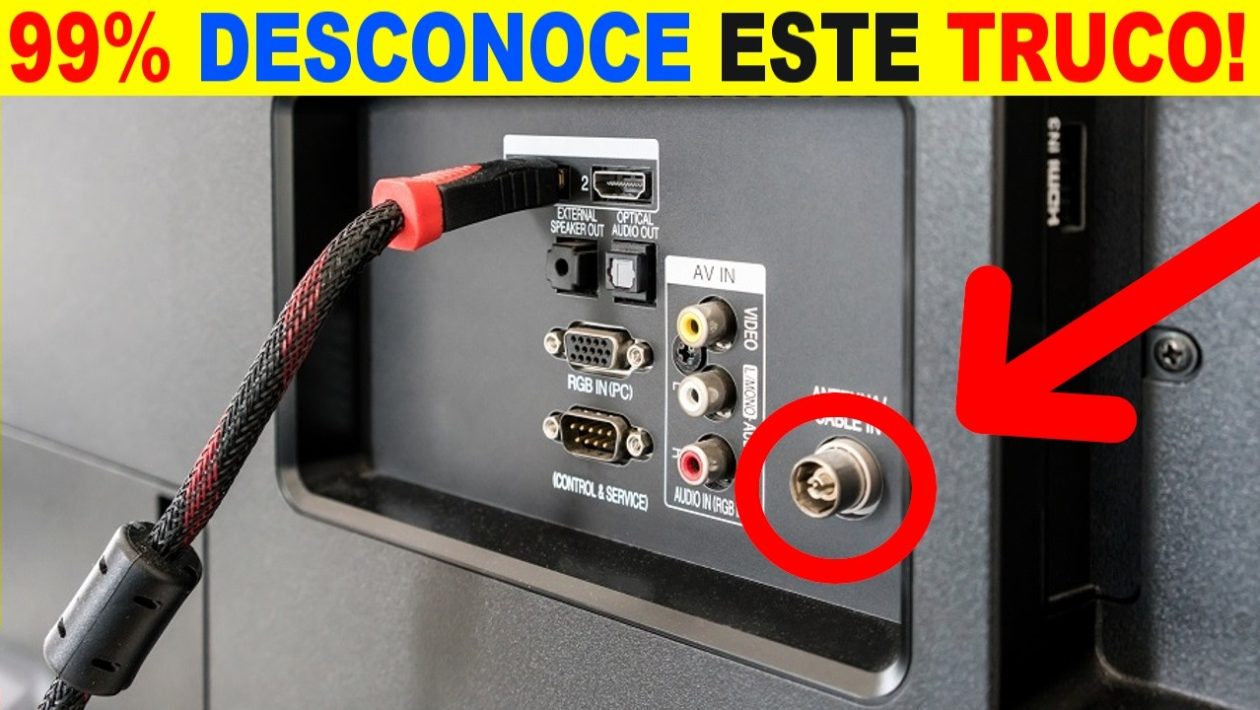
- Connection: Plug the coaxial cable from your antenna directly into the “Antenna/Cable In” port on the back of your television.
- Placement: Position your antenna near a window or an exterior wall. Avoid placing it behind large metal objects or televisions, which can cause signal interference.
- Channel Scan: Access your television’s “Menu” or “Settings” function. Select the “Channel Setup” or “Auto-Tune” option. Ensure the tuner is set to “Air” or “Antenna” mode rather than “Cable.”
- Optimization: Run the scan. If you are missing channels, reposition the antenna slightly and run the scan again. It may take a few attempts to find the “sweet spot” for every station in your area.
Why Digital Broadcasts Excel
While streaming services rely on data compression and internet bandwidth, over-the-air digital television provides an uncompressed, high-bitrate signal. This often results in a cleaner, sharper picture than what is typically delivered through standard cable boxes, which compress data to manage network traffic.
Furthermore, digital broadcast TV remains the most reliable source of information during emergencies. When internet lines are down or power grids are strained, broadcast towers often remain operational. It serves as a vital utility that remains completely independent of third-party infrastructure.
Maximizing Your Existing Hardware
Do not be fooled into thinking that older, non-smart televisions are obsolete. As long as your TV was manufactured after 2009, it contains the necessary digital tuner to decode these signals. Even if you own an older analog set, you can bridge the gap by purchasing a simple, inexpensive digital-to-analog converter box, which connects via RCA cables to keep legacy screens functional.
By leveraging these broadcast signals, you effectively “cut the cord” on recurring entertainment expenses without sacrificing quality. It is a one-time investment in hardware that delivers high-definition content permanently.