
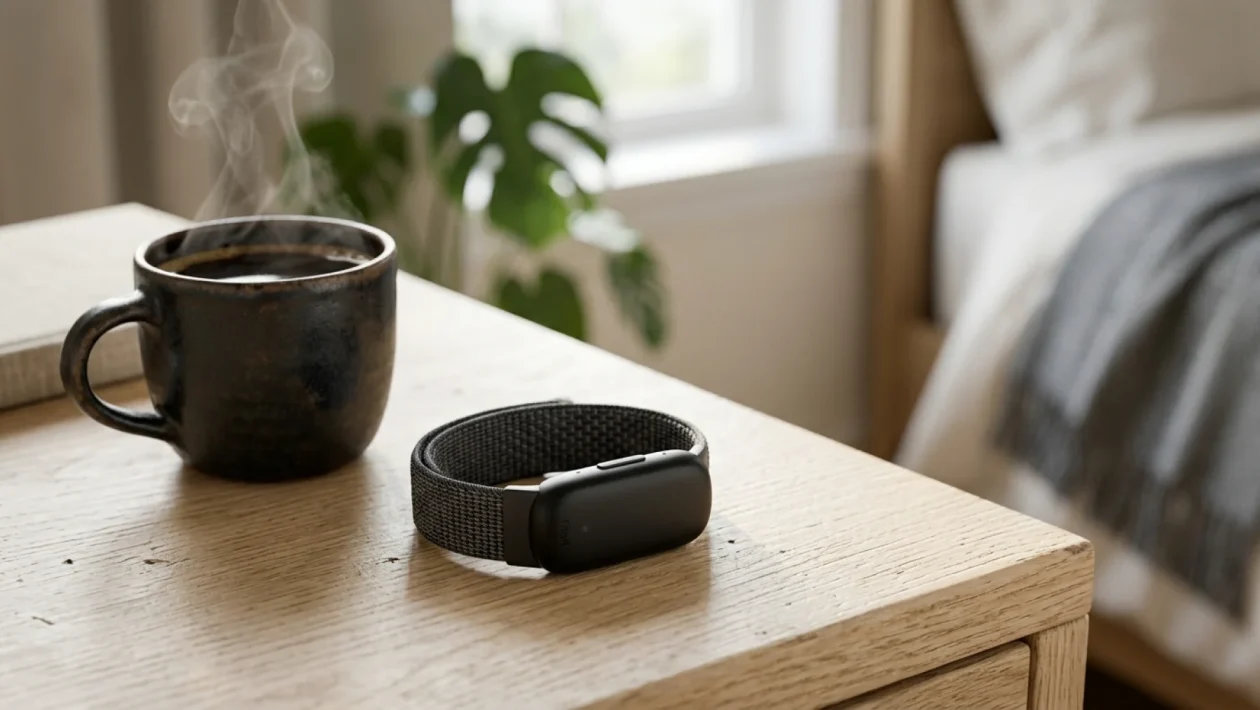
You’re dead tired, you finally crawl into bed, and just as you drift off, your wrist lights up like a stadium floodlight because somebody liked your post. We’ve all been there. Smartwatches are great, but sometimes you just want the raw health data without the relentless digital noise. Enter the Fitbit Air, Google’s brand new, screen-free answer to wearable fatigue. It tracks your every move, weighs practically nothing, and uses advanced AI to actually roast you if you push yourself too hard on a low-sleep day. If you want to optimize your health this spring of 2026 without staring at another screen, you are in exactly the right place.
Google’s Screenless Tracker Revolution
Let’s talk hardware, because taking the screen off a Fitbit is a game-changer for everyday comfort. The Fitbit Air is essentially the beloved Inspire 3 tracker, entirely freed from its display constraints. It features a sleek pill shape that measures barely over an inch long and weighs a ridiculous 5.2 grams.
You literally forget you are wearing it. The beauty of this design is the quick-swap functionality. I keep one band by the door for muddy trail runs and a clean performance loop for when I’m throwing on my Lululemon gear to run errands.
Battery life is the only slight bottleneck here. Because the device is so tiny, you get about seven days of juice before it taps out. However, the charging speed is incredibly practical for busy mornings.
I dropped a dead tracker onto the magnetic charger, and just five minutes later, it jumped from zero to nearly 60 percent. It is the exact kind of low-maintenance tech a guy needs.
Gemini AI Coaching Explored
Without a screen, the entire Fitbit Air experience lives inside the newly overhauled Google Health app. And this is where things get genuinely interesting. Google integrated its Gemini AI directly into the dashboard, acting as a personal trainer that lives in your pocket.
After a terrible night of sleep, I hit a grueling 54-minute HIIT workout. My Fitbit Air synced the data, and the AI immediately flagged my readiness score of 48. The app headline literally read: “You clearly didn’t get the memo about taking it easy today.”
Having your fitness app scold you with actual context is hilarious, but it is also highly effective. If you want to get the most out of this AI integration, here is the best way to structure your day:
- Wake up naturally: Utilize the Smart Alarm feature, which uses the tracker’s internal vibration motor to silently buzz you awake during your lightest sleep stage.
- Check your Readiness: Open the Google Health app while having your morning coffee to see your AI-generated recovery score.
- Adjust your effort: Let the Gemini coach dictate whether you should crush heavy weights or take a rest day based on your night’s sleep.
The Whoop Rivalry Settled
We cannot talk about screenless wearables without addressing the elephant in the room. Whoop launched the screen-free tracker trend back in 2015 and has dominated the space ever since. In fact, Whoop recently raised $575 million, catapulting the company to a staggering $10 billion valuation, proving just how massive the demand for invisible health tech has become.
So, does the Fitbit Air dethrone the reigning champ? It depends entirely on your lifestyle and your wallet. The Fitbit is slightly narrower and noticeably more comfortable to sleep with than the squarish Whoop MG.
| Feature | Fitbit Air vs. Whoop MG |
|---|---|
| Battery Life | 7 Days (Fitbit) vs. 14 Days (Whoop) |
| App Experience | Conversational AI (Fitbit) vs. Deep Data (Whoop) |
| Comfort | Ultra-light & narrow (Fitbit) vs. Squarish (Whoop) |
Whoop is strictly for the hardcore data nerds who want to analyze every single heartbeat. Google, on the other hand, built a device for regular folks who want top-tier tracking without needing a master’s degree in physiology to understand the charts.
“Google isn’t just selling another fitness band; they are selling a personalized AI trainer that tracks your vitals without demanding your constant visual attention. It’s the ultimate ‘set it and forget it’ health tool.”
Frequently Asked Questions
How do I check the battery if there is no screen?
It is surprisingly simple. You just give the surface of the tracker two firm taps. A small LED light on the edge will illuminate to indicate your current battery level, so you never have to guess.
Is the Google Health app replacing the old Fitbit app?
Yes. Google is migrating all existing Fitbit and Google Fit users into the new, unified Google Health app. It features a highly customizable, swipeable carousel that makes checking your daily metrics faster than ever.
🤝 Alright, that’s the breakdown. The Fitbit Air isn’t flawless, and the AI coach can sometimes be a bit glitchy, but it is a massive step forward for anyone tired of glowing screens.
💡 If you want solid tracking without the smartwatch bulk, this 5.2-gram piece of tech is absolutely worth slapping on your wrist.
📱 Let me know what you think! Are you making the jump to a screenless tracker this year, or are you sticking with your traditional smartwatch?
👇 Drop a comment below and share your thoughts. Good luck out there, and don’t let the AI yell at you too much!