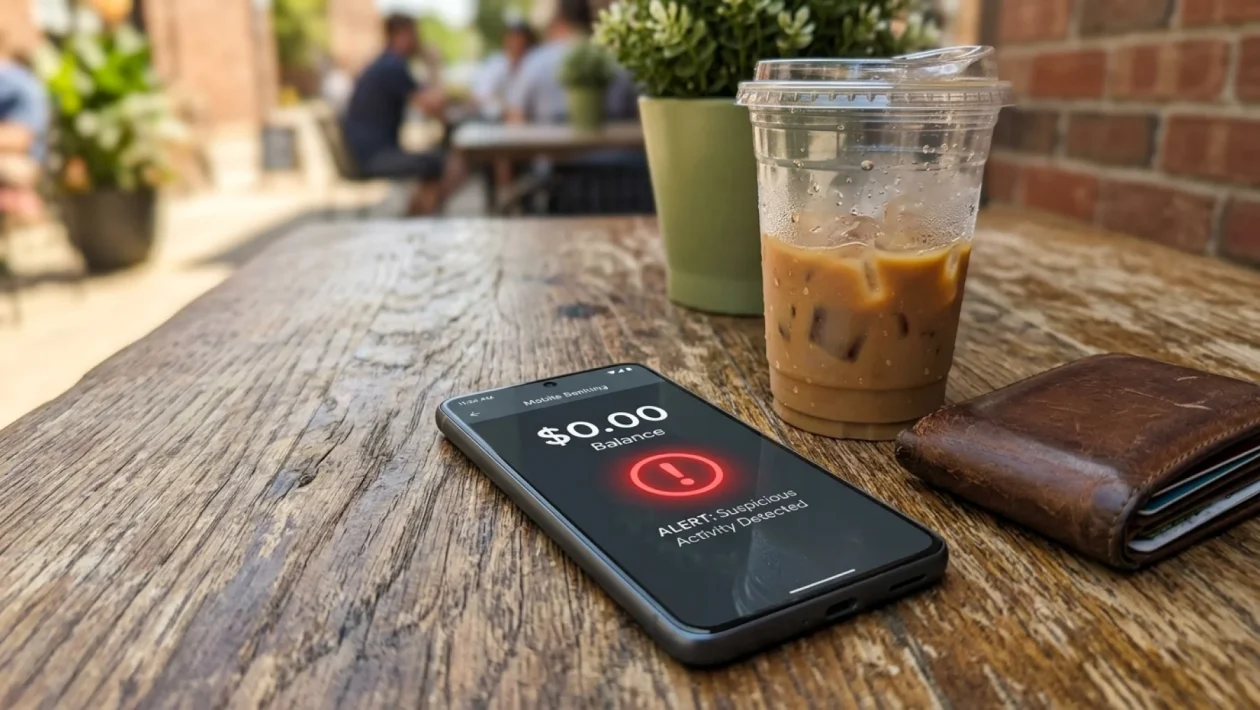
You check your phone, open your banking app to pay for a summer road trip coffee, and your entire checking balance is completely gone. This is not a paranoid hypothetical; it is a brutal reality unfolding right now across the continent thanks to a highly sophisticated strain of mobile trojans. If you use a smartphone to manage your money, you are a prime target.
But do not panic just yet. I am going to show you exactly how this banking malware warning affects you, how to spot the hidden red flags, and the exact steps to lock down your device right now.
Banking Malware Warning: What Exactly Is Invading Your Phone?
We are not talking about the obvious, clunky computer viruses from the early 2000s. Today’s mobile malware is sleek, professional, and terrifyingly efficient.
These malicious codes often disguise themselves as completely harmless applications. You might think you are downloading a simple PDF scanner, a generic fitness tracker, or a basic flashlight app.
Once installed, they sit quietly in the background, waiting for you to open your financial apps. They then cast an invisible overlay across your screen, recording every single keystroke, password, and two-factor authentication code you type.
The Silent Threat: How It Hides in Plain Sight
The scariest part about this digital pickpocket is how incredibly quiet it is. Your phone will not randomly freeze, and you will not see a barrage of annoying pop-up ads.
Instead, the malware simply asks for “Accessibility Permissions” during the initial installation. Most of us blindly hit “allow” without reading, inadvertently handing over the master keys to our device.
| Normal App Behavior | Malware Red Flags |
|---|---|
| Asks for relevant permissions (e.g., Camera for a photo app) | A calculator app demands access to read your SMS messages |
| Regular, predictable battery consumption | Phone gets burning hot and the battery drains in mere hours |
| Downloaded directly from official, verified developers | Installed via third-party text links or unknown web sources |
If a basic utility app has no business reading your screen or monitoring your keystrokes, do not let it. It really is that simple.
Emptying North American Accounts: The Financial Damage
Let’s talk hard numbers, because the scale of this problem is staggering. Last year alone, North Americans lost over $2.4 billion to mobile and banking fraud.
Major institutions like TD Bank and Scotiabank spend millions building fortress-level security into their mobile applications. However, they simply cannot protect you if the device itself is compromised from the inside.
“You can have a vault door made of solid titanium, but if you invite the bank robber inside and hand them the combination, the vault is entirely useless. That is exactly what mobile malware does.”
By this point in July 2026, these attacks have only grown more aggressive. The malware bypasses advanced facial recognition by simply stealing your session tokens while you are actively logged in.
Protect Your Money Today: The Ultimate Fix
I am a big believer in taking immediate, practical action. You do not need a computer science degree to secure your digital wallet today.
Here is your foolproof, handyman-style checklist to scrub your phone clean and keep your hard-earned cash perfectly safe.
- Audit your app drawer: Delete absolutely any app you have not actively used in the last 30 days. If you do not recognize the developer’s name, toss it immediately.
- Revoke accessibility rights: Go into your phone’s settings, search for “Accessibility,” and turn off access for everything except trusted, essential system tools.
- Update your operating system: That pesky software update notification? Click it right now. Those updates contain crucial security patches designed specifically to kill new malware.
- Never click SMS links: If you get a random text claiming your package is delayed or your bank account is locked, ignore the link. Open the official app directly instead.
Think of this routine like changing the oil in your truck. It takes five minutes, but it prevents a total engine failure down the road.
Frequently Asked Questions
Can iPhones get this banking malware?
While Android devices are historically more vulnerable due to third-party app sideloading, iOS users are not entirely immune. Apple’s ecosystem is highly secure, but sophisticated phishing attacks and malicious configuration profiles can still compromise your iPhone.
Will my bank refund my money if I am hacked?
It depends heavily on the specific situation. If the bank determines you acted negligently—like willingly giving a shady app full control of your device—they might refuse to cover the loss. Always report unauthorized transactions immediately to increase your chances of a full refund.
Do I need an antivirus app on my phone?
For most users, built-in protections like Google Play Protect are sufficient if you practice good digital hygiene. However, installing a reputable, paid mobile security suite can offer a great second layer of defense for your own peace of mind.
🤝 Listen, folks, securing your digital life does not have to be a stressful, overwhelming chore.
💡 By staying alert and treating your smartphone with the exact same caution you would your physical wallet, you instantly make yourself a remarkably hard target for these digital scammers.
📱 Take five minutes right now to audit those app permissions—your future self and your bank account will thank you for it.
👇 Good luck out there, stay safe this summer, and share your thoughts or any weird app experiences you have had in the comments below!
Exclusive Gift Unlocked!
You've been selected! Support our blog right now and unlock the rest of the article completely free.
👉 Quick Step: Check the box below and click the button to add us to favorites.