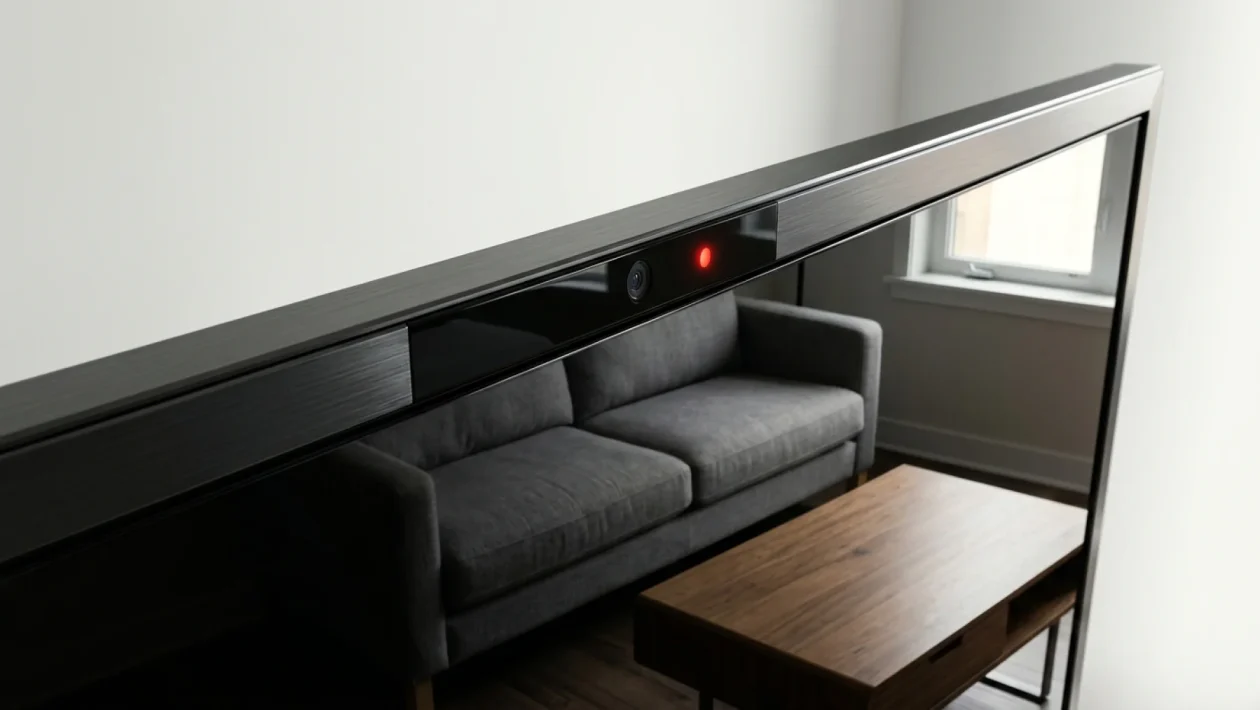
You finally sink into the couch after a long day, fire up the screen to catch the latest summer blockbuster, and assume it is just you and the TV. Think again. Smart TV spying is not some paranoid sci-fi plot; it is a built-in feature of that expensive piece of glass sitting in your living room. Right now, your television is actively logging what you watch, when you watch it, and exactly which commercials you skip.
The core culprit is a sneaky little technology called Automatic Content Recognition, or ACR. It is quietly running in the background, analyzing pixels and audio fingerprints faster than you can grab the remote. But do not worry, I am going to show you exactly how to rip the blindfold off and lock down your living room privacy in under five minutes.
Smart TV Spying: Unmasking the Automatic Content Recognition Engine
Let us get straight to the technical dirt on how your television monitors you. ACR technology acts like a digital fingerprint scanner for your eyeballs. It takes constant snapshots of the visual and audio data playing on your screen, comparing it against a massive cloud database.
It does not matter if you are watching cable, streaming an app, or playing a Blu-ray. If it is on the screen, ACR sees it. It is a wildly sophisticated system designed to build an intimate profile of your household’s viewing habits.
“Hardware profit margins are practically zero these days. Your television manufacturer isn’t selling you a screen; they are selling your screen’s data to advertisers.” — Dr. Aris Thorne, Lead Researcher at the Digital Privacy Institute.
In fact, a recent privacy audit revealed a staggering statistic: over 82% of internet-connected televisions have ACR enabled by default right out of the box. You opted in the moment you rapidly clicked “Agree to All” during the initial setup.
Why Your Living Room Screen Is Secretly Watching You
You might be wondering why a multinational tech giant cares that you binge-watched old sitcoms at 2:00 AM. The answer, as always, is cold, hard cash. Your viewing data is incredibly valuable to marketers, political campaigns, and network executives.
By knowing exactly what you watch, manufacturers can serve you hyper-targeted ads straight to your home screen menu. They sell these demographic profiles to third-party data brokers who want to know what makes North American consumers tick.
| What You Think It Does | What It Actually Does |
|---|---|
| Recommends new movies | Sells viewing habits to ad networks |
| Improves voice search features | Logs audio snippets for processing |
| Keeps the clock updated | Tracks exactly when you are home |
What Is Happening “This Week”: The July 2026 Firmware Push
So, why is this suddenly a massive issue right now? Because it is mid-July 2026, and the major tech companies just rolled out their massive summer firmware updates. If you noticed your TV rebooting overnight earlier this week, you likely received a fresh batch of tracking protocols.
I was just walking through a Best Buy Canada yesterday, looking at the newest QLED models, and noticed how aggressively the new interfaces push you to connect your accounts. These July updates have quietly reset privacy terms for millions of users.
Many popular brands, including Roku and Vizio, have updated their user agreements to include more expansive data sharing clauses. If you ignored the little pop-up box this week, you essentially gave them a renewed license to snoop.
And How to Stop It: Taking Back Control of Your Screen
You do not need to be a network engineer to stop this digital peeping tom. You just need to know which obscure menu settings to tweak. Grab your remote, because we are shutting down the surveillance right now.
- Navigate to your Main Settings: Press the gear icon on your remote and scroll all the way down to the “General” or “System” tab.
- Find the Legal/Privacy Menu: This is often buried under names like “Terms & Privacy,” “Viewing Information,” or “Smart Hub Agreement.”
- Disable ACR features: Look for toggles labeled “Viewing Information Services,” “Voice Recognition Services,” or “Interest-Based Advertisements.” Turn them all OFF.
- Confirm the warning: The TV will likely warn you that features will be degraded. Ignore the scare tactics and hit confirm.
Keep in mind that every manufacturer hides these settings in slightly different spots. If you cannot find it immediately, search for your specific TV model online alongside the phrase “disable ACR.”
Frequently Asked Questions
Do I need to disconnect my TV from Wi-Fi completely?
No, taking your TV entirely offline is the nuclear option. While it absolutely guarantees privacy, you lose all streaming capabilities. Disabling the ACR settings in the menus is usually enough to stop the targeted data mining while letting you keep your Netflix.
Can they hear what I am saying in my living room, too?
If your remote has a built-in microphone for voice commands, it is technically capable of listening. However, most modern remotes require you to physically press and hold a button to activate the mic. Just to be safe, dive into your settings and disable “always-on” voice assistants if your TV offers hands-free control.
Will turning this off ruin my streaming apps?
Not at all. Your apps will continue to function perfectly. The only thing you will lose are the hyper-specific, creepy recommendations on your TV’s home screen. The actual apps manage their own data independently of the television’s hardware trackers.
🤝 Good luck wrestling back your living room privacy this weekend! It is your home, your couch, and your data—do not let a piece of hardware dictate the terms.
💡 Do not forget to double-check these settings after every major firmware update. Manufacturers love to quietly toggle them back on when you are not paying attention.
📱 Share your thoughts and let me know if you noticed a difference in those creepy home screen ads after making the switch.
👇 Drop a comment below if you found the hidden privacy menus on your specific model so we can help out fellow readers!
Exclusive Gift Unlocked!
You've been selected! Support our blog right now and unlock the rest of the article completely free.
👉 Quick Step: Check the box below and click the button to add us to favorites.